Table of content
WooCommerce membership plugin is used to restrict posts or taxonomy. However, it is also used to create unlimited membership plans with a specific predefined plan. You can purchase these plans with WooCommerce products. If customers hold any membership plan or another rule he can access taxonomy or posts. For product purchase, you can add customers automatically or manually.
WooCommerce Membership Features
- Allows to add unlimited plans for membership.
- Assign membership plan manually to users.
- When customers purchase the product you can auto-assign plan to them.
- However, you can restrict users with a different type of conditions.
- Set Membership plan expiry date.
- User restriction with membership plan.
- User restriction without a membership plan.
- restrict users from products purchase.
General Settings
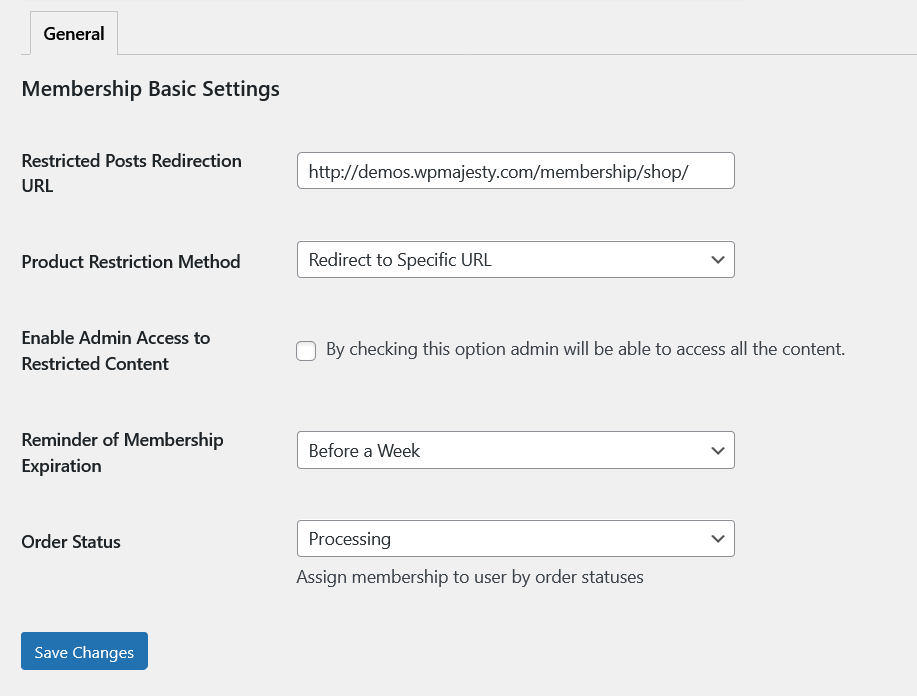
Restricted Posts Redirection URL: Add URL for the redirection of the customers when the post is being restricted.
Product Restriction Method: When the product is restricted, there are two options whether redirect it to the specific URL or make the product not purchasable.
Enable Admin Access to Restricted Content: By checking this option admin will be able to access all the content.
Reminder of Membership Expiration: Send reminder email for the members on expiration on the membership.
Order Status: Assign membership to user by order statuses.
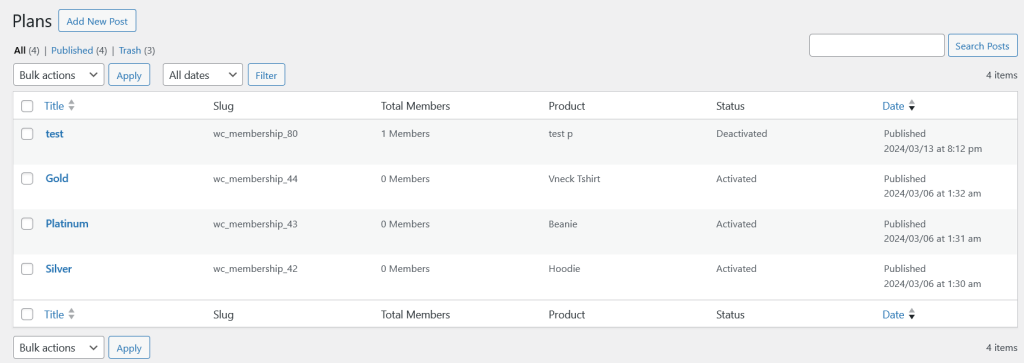
All Membership Plans
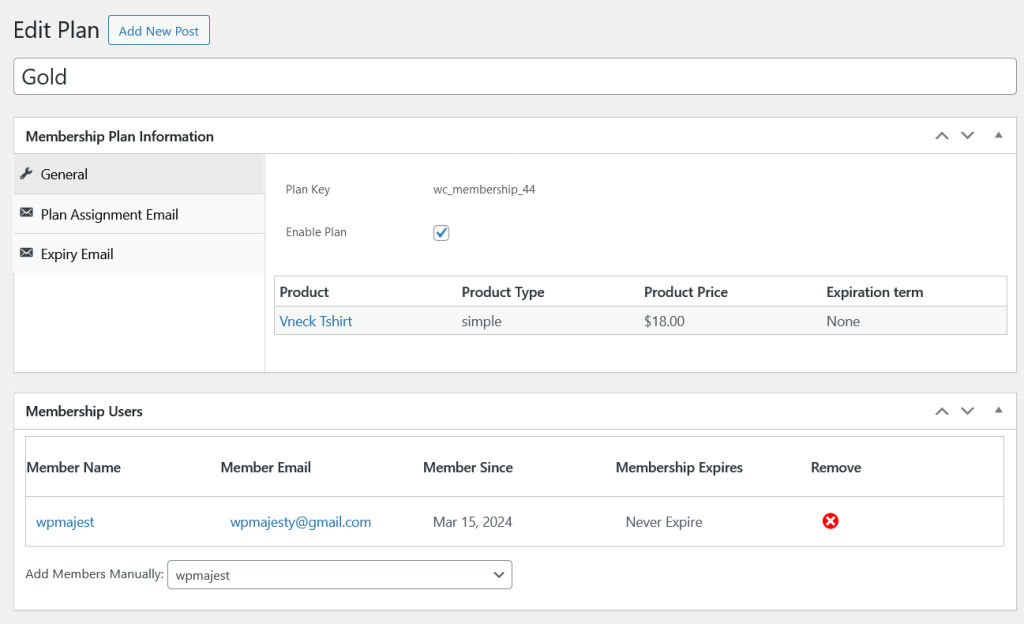
Single Membership Plan
General:
Enable Plan: Check this option to enable the plan. for the selected product.
Each plan must be assigned to any product.
Member Users: Below are the list ofthe member related to that specific membership plan.
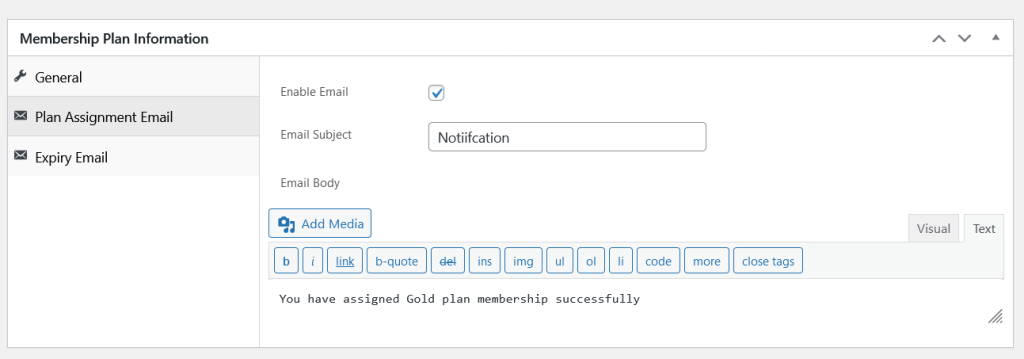
Plan Assignment Email
Enable Email: Check this option to enable the email when the plan assigned to any member.
Email Subject: Add email subject.
Email Body: Design email body with HTML.
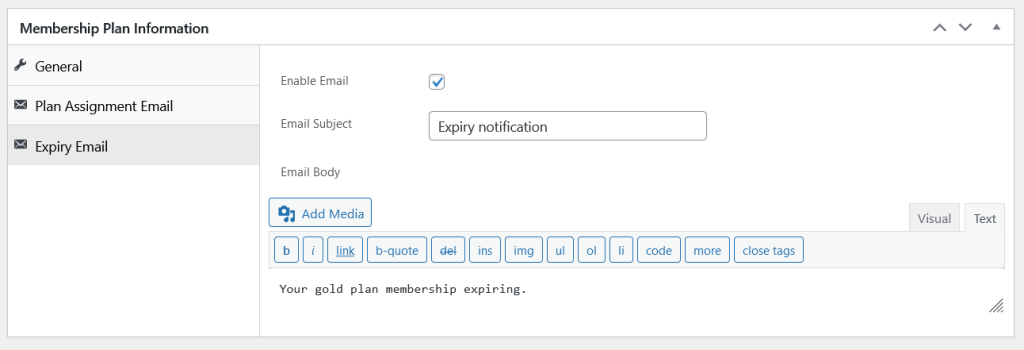
Expiry Email
Enable Email: Check this option to enable the email when the membership is expiring of any member.
Email Subject: Add email subject.
Email Body: Design email body with HTML.
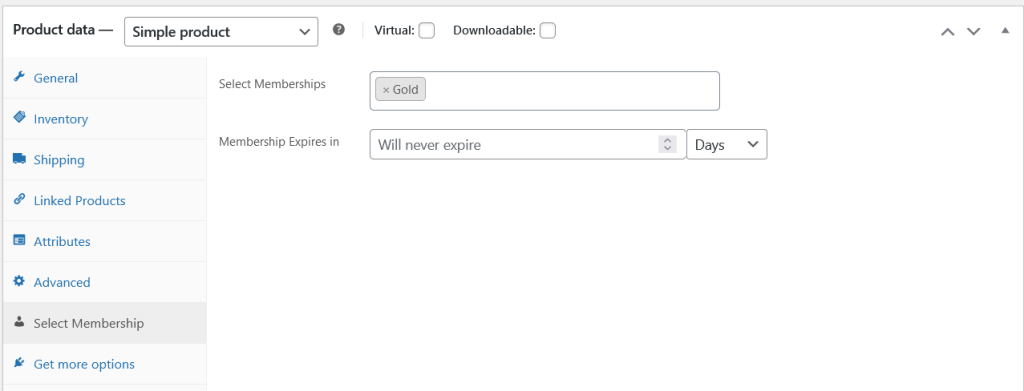
Product Level Settings
Select Memberships: Choose memberships for the products, so when the customers buy that product they will get the specified membership plans.
Membership Expires in: Specify membership expiration duration or leave empty for the lifetime membership.
Posts Restrictions
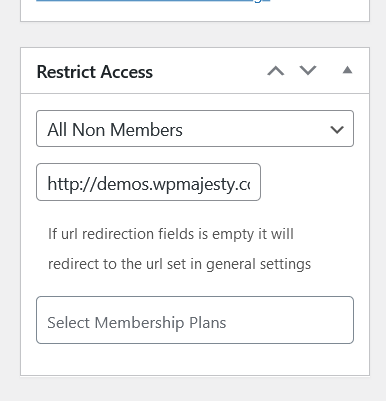
These options are added to all posts and custom posts and these are used to restrict the specific posts for the members, non members or specific members.