Table of content
WooCommerce Tiered Pricing – Price By Quantity Plugin empowers merchants to provide discounts for products based on quantity with more effective way by showing the quantity discount table on the product page.
General Settings of Tired Pricing
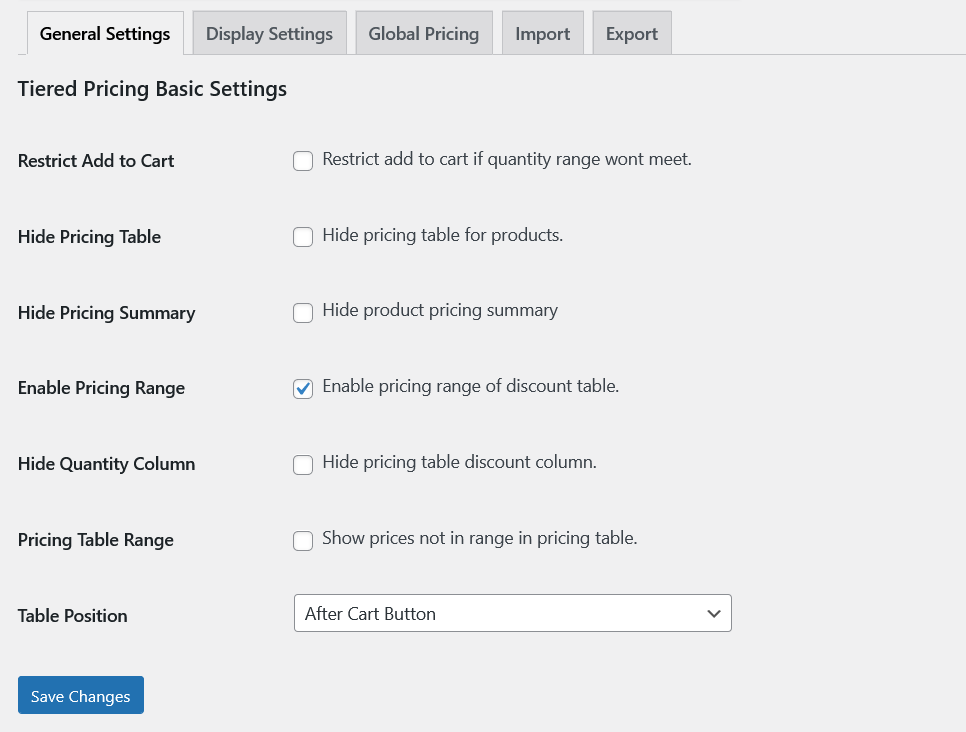
- Restrict Add to Cart: Restrict add to cart if quantity range wont meet.
- Hide Pricing Table: Hide pricing table for products.
- Hide Pricing Summary: Hide product pricing summary.
- Enable Pricing Range: Enable pricing range of discount table.
- Hide Quantity Column: Hide pricing table discount column.
- Pricing Table Range: Show prices not in range in pricing table.
- Table Position: Display pricing table in 3 different positions. Before add to cart button, After add to cart button or show in product tabs.
Display Settings
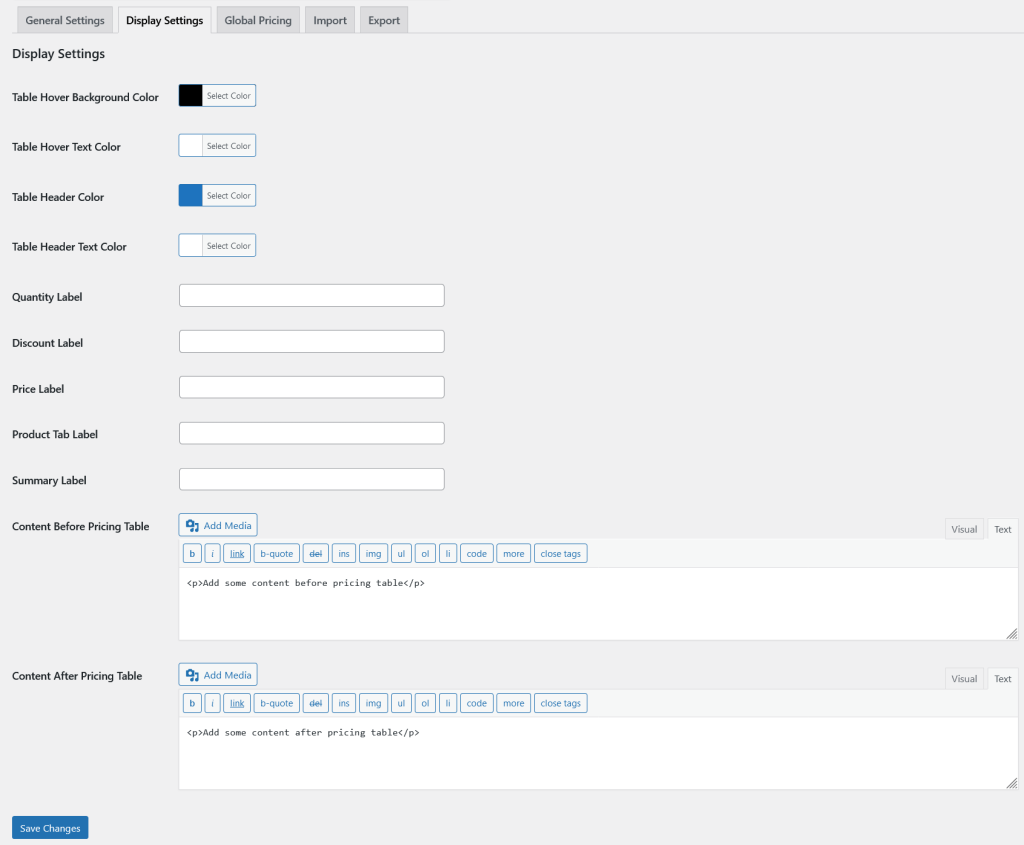
We have some color options to customize the pricing table and edit all the labels. Also Tiered Pricing allow you to add content before and after pricing table with HTML supported.
Global Tiered Pricing Rules
Global Tiered Pricing rules will be applied on all the products of the Woo if the product or category has not be configured yet.
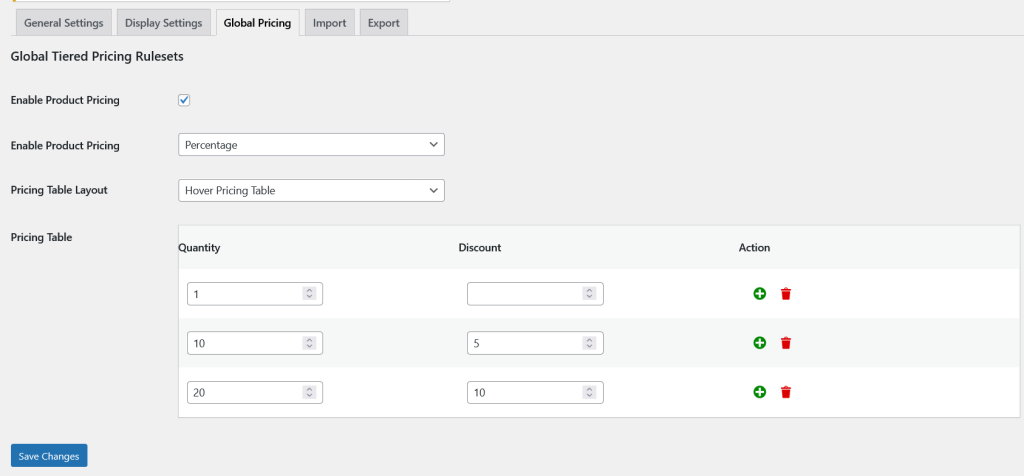
- Enable Product Pricing: Enable this option to activate the tiered pricing functionality.
- Enable Product Pricing: There are two types of pricing. Percentage and Fixed.
- Pricing Table Layout: Tiered Pricing also display the pricing table with three different fancy layouts.
- Pricing Table: Dynamic pricing table consist of three columns. For quantity column you have to specify the quantity required for the discount. For discount column you have to add discount value, so that discount will be applied when the same quantity reached. The third and last column is about action, so you can add or remove the Tiered pricing table row.
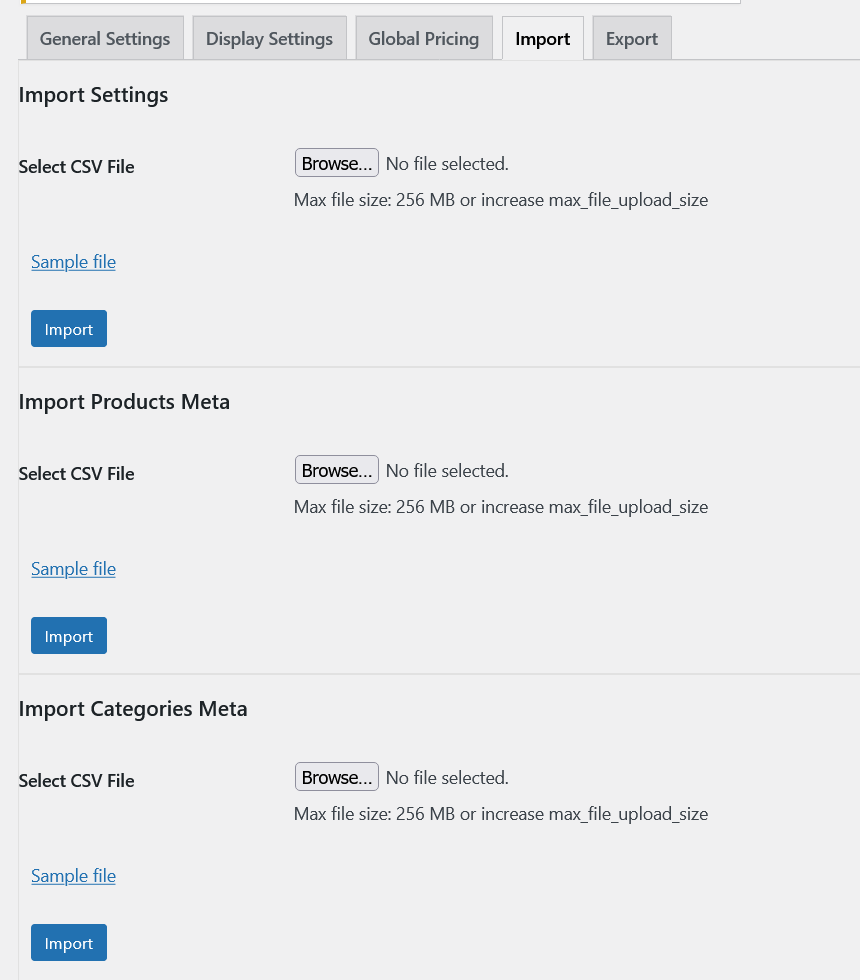
Import Settings
Tiered pricing allow to import all its rules sets of global level, category level and product level along with the general settings separately.
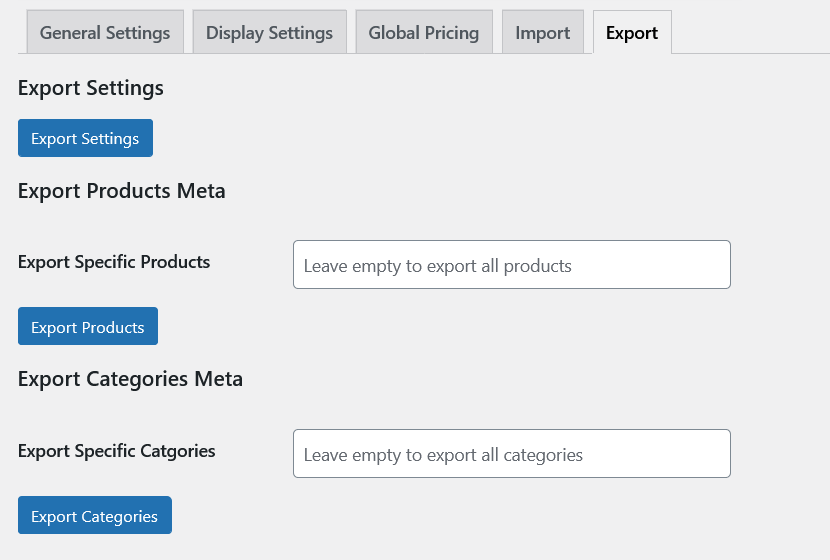
Export Settings
Tiered Pricing has the functionality of export also. Using export settings administrator can export general settings, global rule sets, category level rule sets and product level rule sets as well.
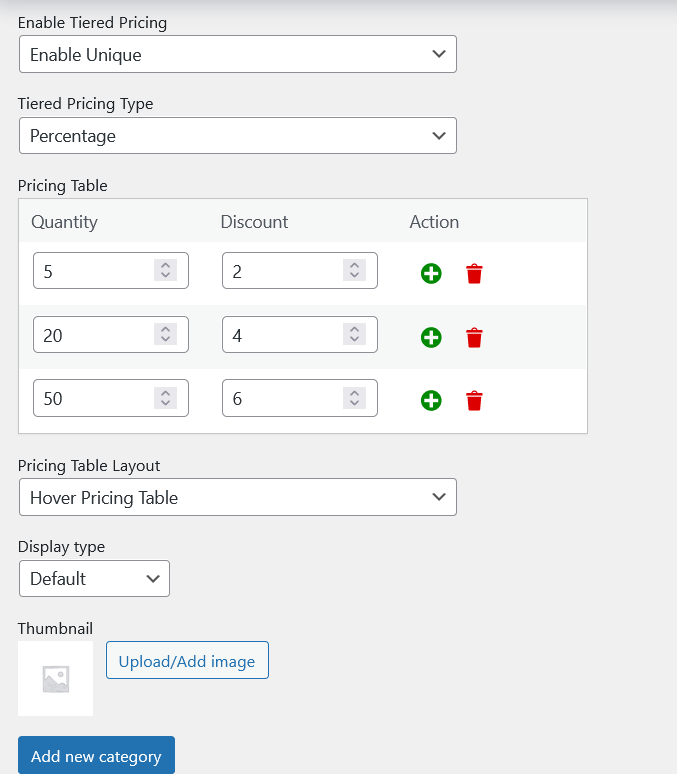
Category Level Rule sets
You can set up the pricing rule sets at the category level also. These rules will not be applied on all the products but specific products related to that category.
There are three option for enable tiered pricing:
1. Inherit: If this option is selected, the category will get the rule sets added at the global level and ignore its rule sets.
2. Enable Unique: If enable unique is selected, the category will get its own rule sets.
3. Disable: Disable will disable the Tiered pricing functionality for the products.
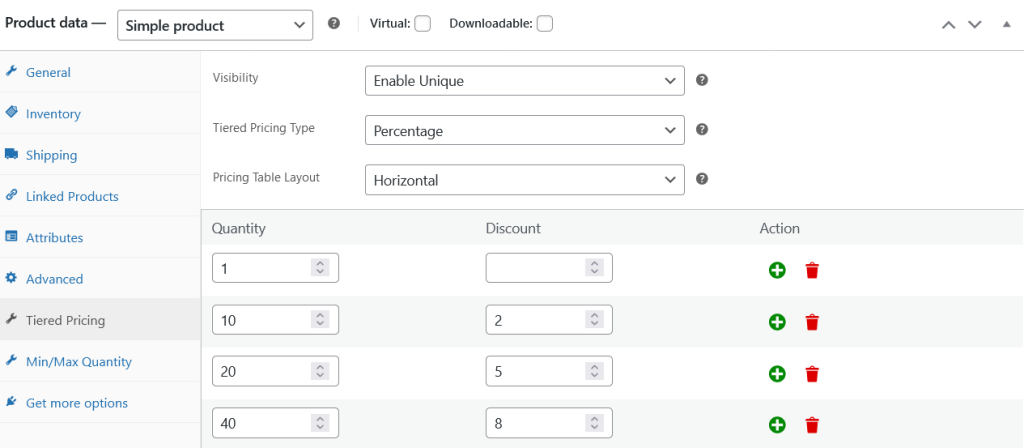
Product Level Rule sets
Tiered pricing has a very extensive options of rule sets. If someone need unique rule sets for each product separately, they need product level rule sets. So that these rules will be applied for that same product only.
Similar to the category level it also has a Visibility dropdown consist of three options.
1. Inherit: If this option is selected, the product will get the rule sets added at its category level and ignore its rule sets.
2. Enable Unique: If enable unique is selected, the product will get its own rule sets.
3. Disable: Disable will disable the Tiered pricing functionality for the products.
Minimum and Maximum Quantity
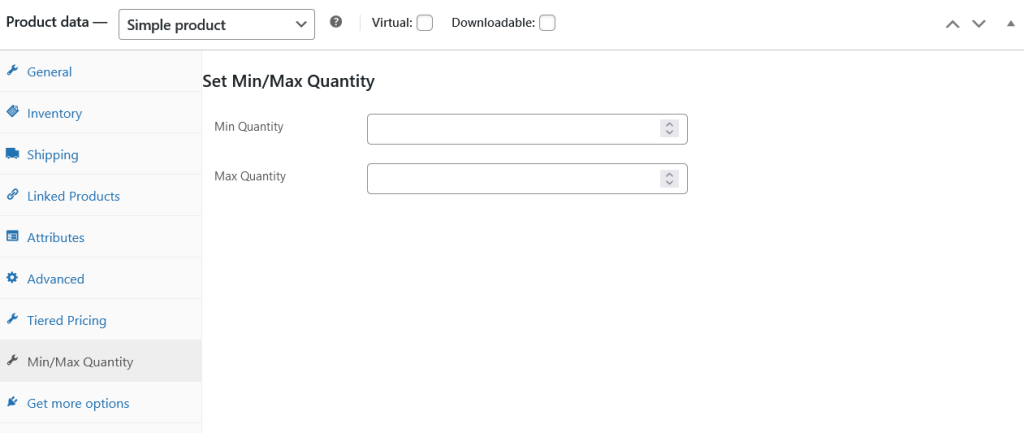
Tiered pricing has another feature of minimum and maximum also. It will restrict the customers to add the products with in the range and do not let them exceed the quantity limit.
Variations Level Rule sets
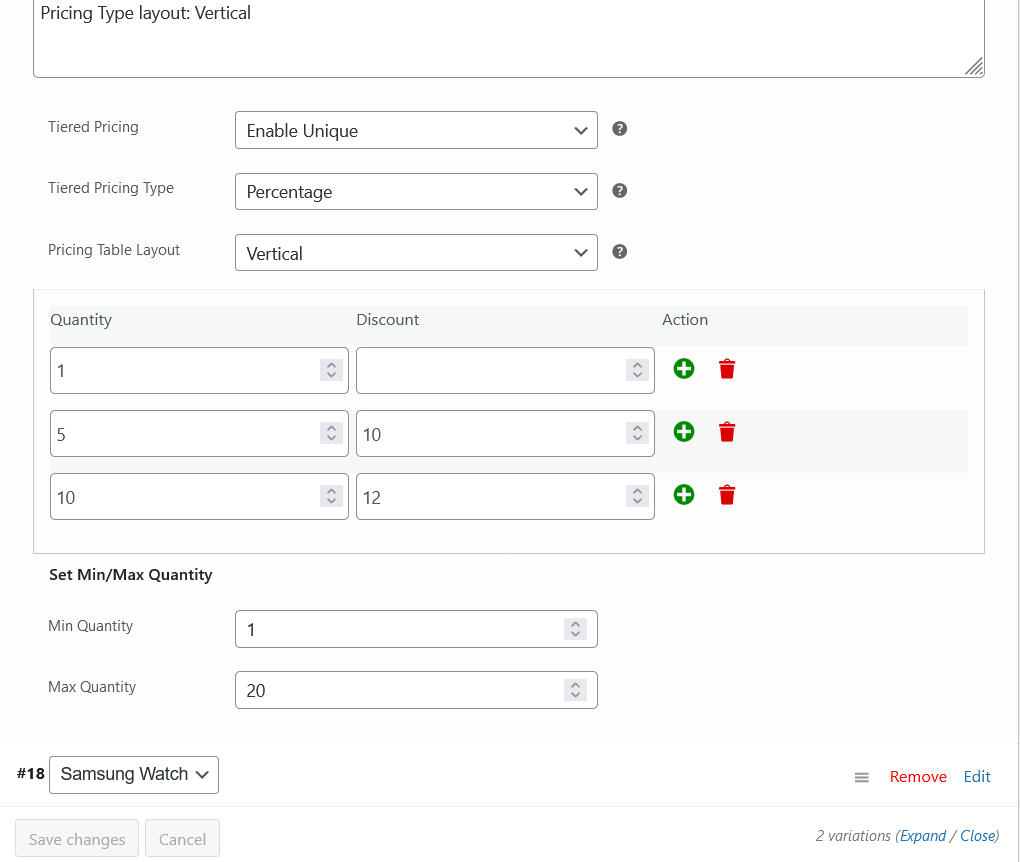
Tiered pricing supports the variations of the variable product also and has the similar options of the rule sets also.
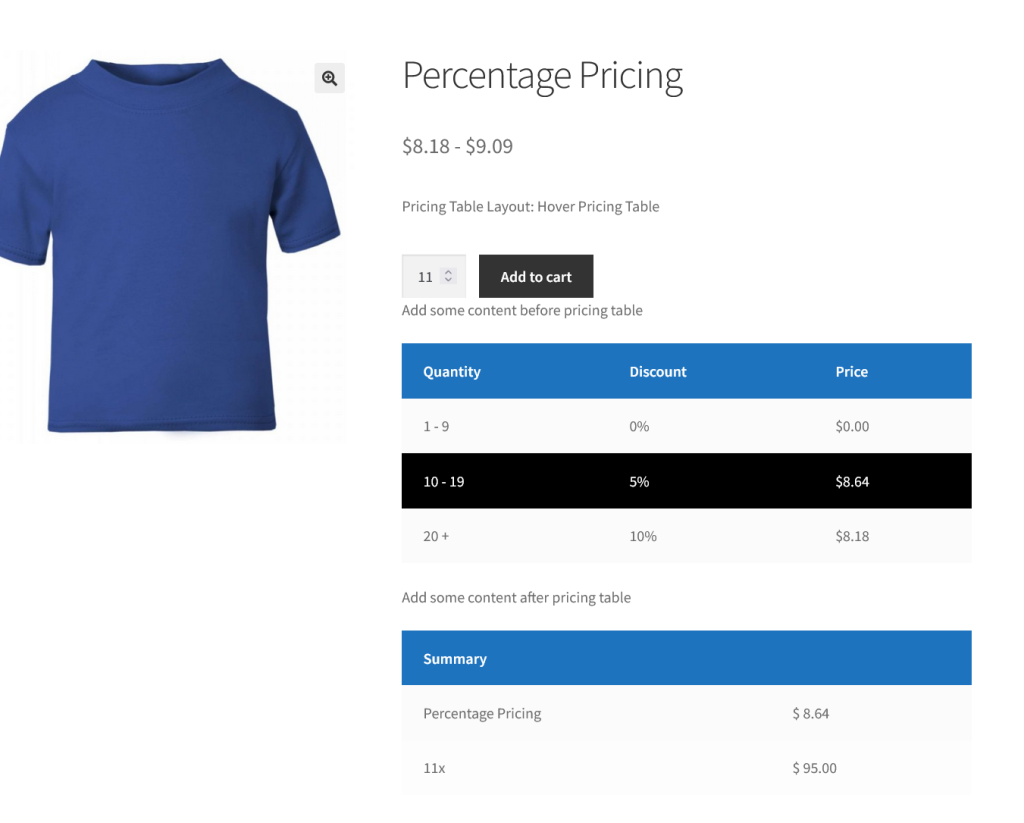
Frontend View with Hover pricing table layout
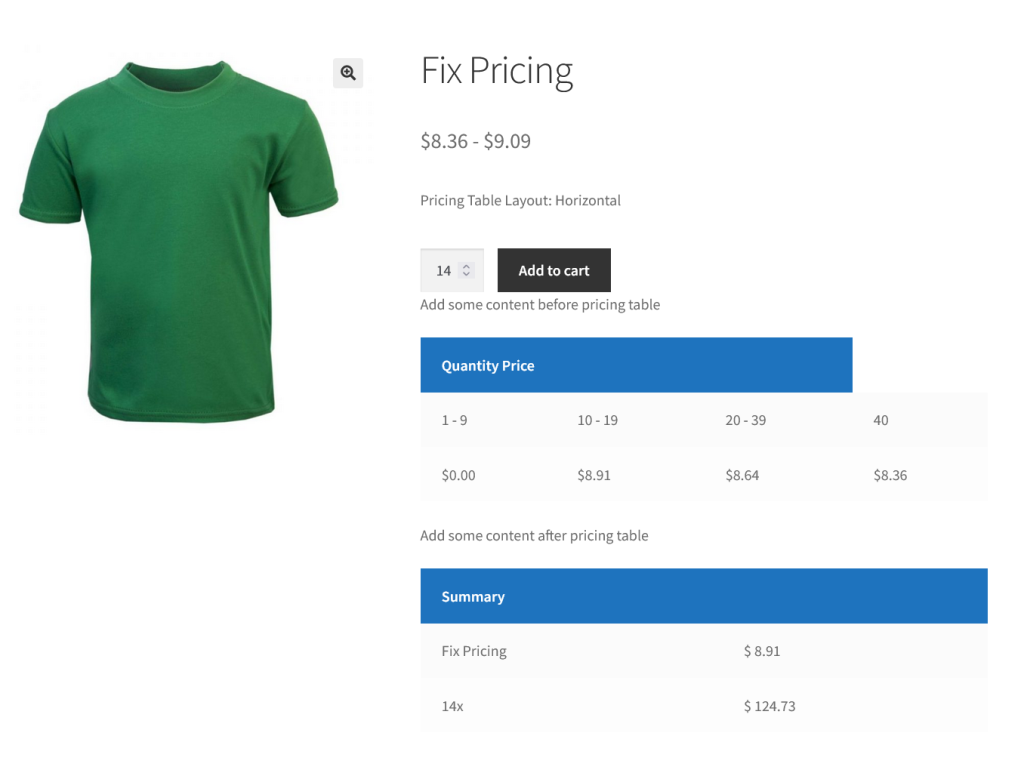
Frontend View with Horizontal pricing table layout
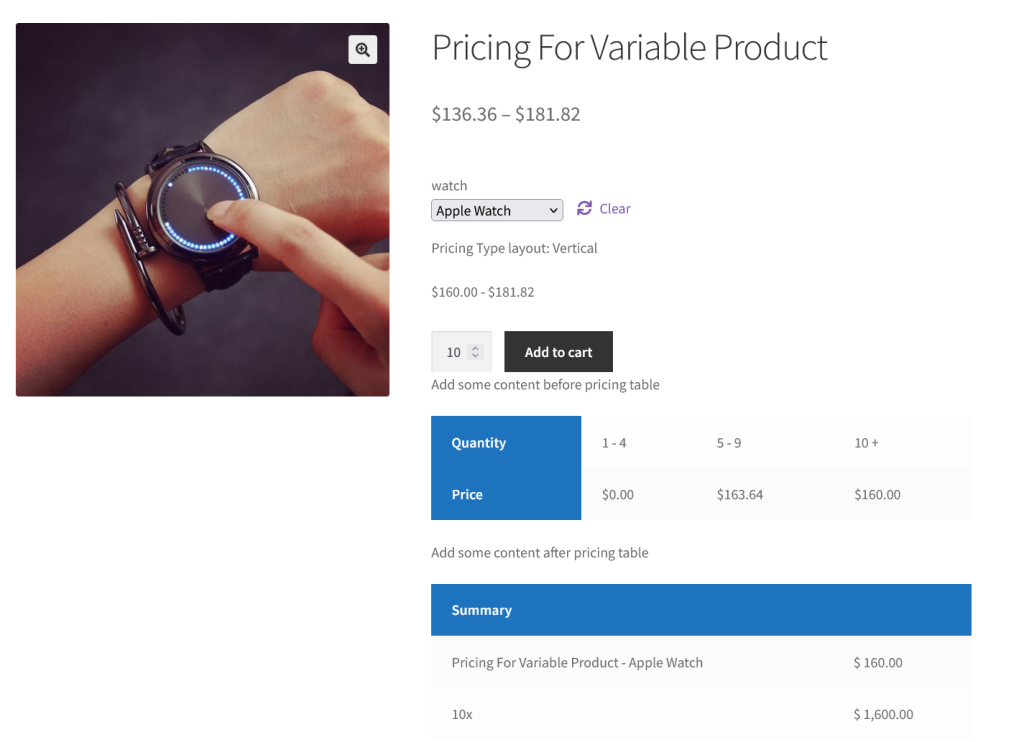
Variable Product with Vertical pricing table layout