Table of content
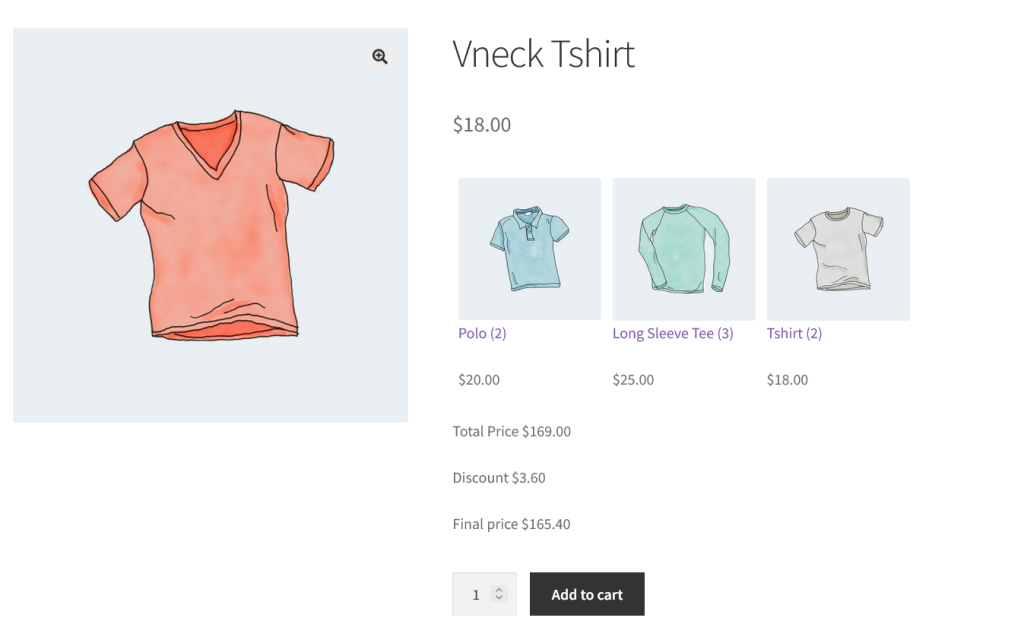
Chained Products plugin for WooCommerce allows you to measure price per unit to buy products of your interest. Product items are displayed at three different positions: in the product tab, before and after add to cart button.
Key Features For WooCommerce Chained Products
- It allows you to get bundle discounts.
- Add many items as chained products.
- Allows to display a single or joint price for the chained products.
- Works for variations of variable products and simple products.
General Settings
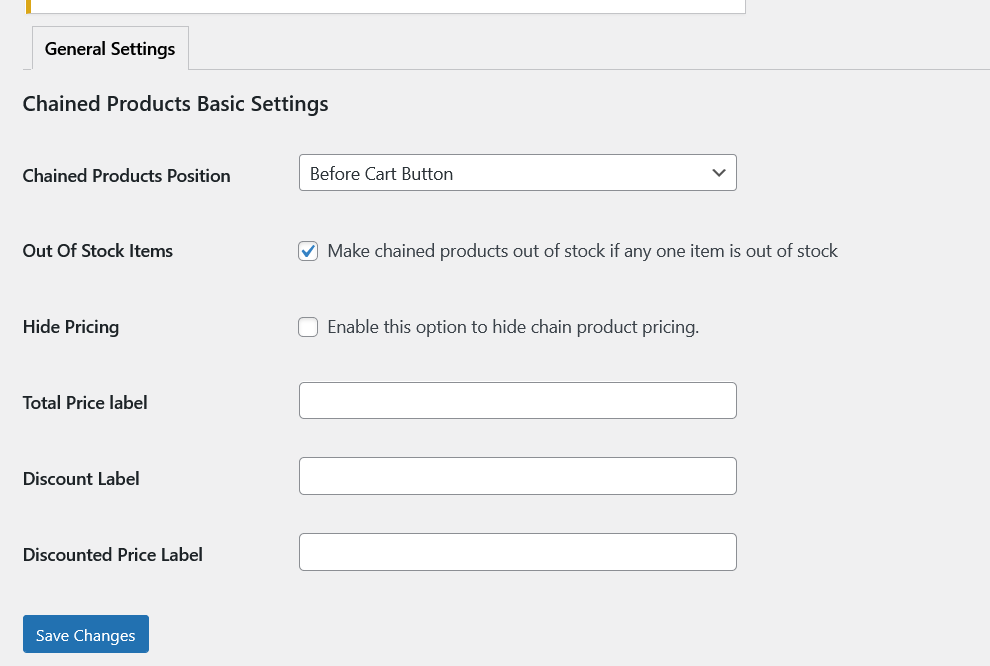
Chained Products Position: Chained products can be displayed in three different positions.
1. Before Add to Cart Button.
2. After Add to Cart Button.
3. Show in Product Tabs.
Out Of Stock Items: Make chained products out of stock if any one item is out of stock.
Hide Pricing: Enable this option to hide chain product pricing.
Total Price label: Add label for Total Price.
Discount Label: Add label for Discount.
Discounted Price Label: Add label for Discounted Price.
Product Level Settings
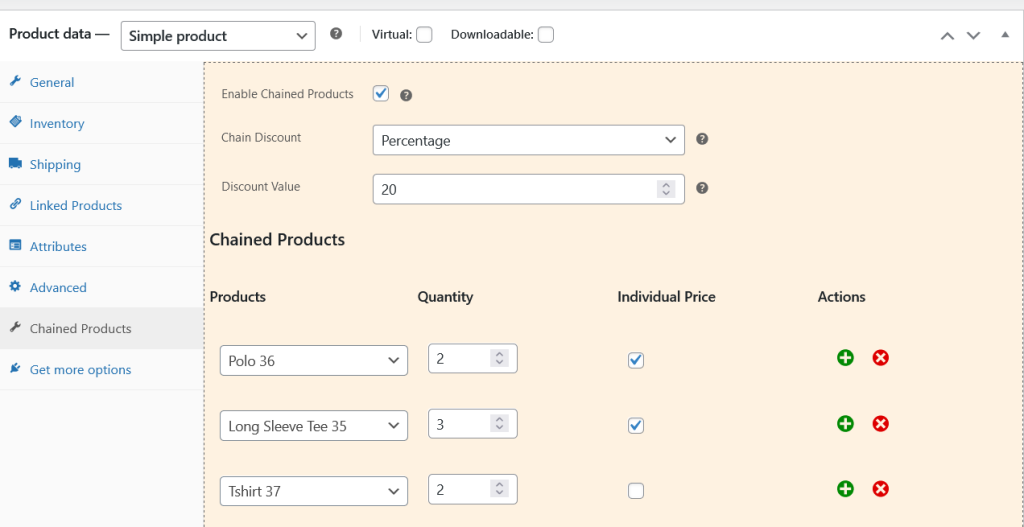
Enable Chained Products: Enable this option to activate chain product functionality for that specific product.
Chain Discount: Choose discount type for the chain products.
Discount Value: Add discount value.
Chained Products:
Add products with quantities, so that these all products will be added to cart with the specified quantities when the customers click on add to cart button.
There is also an individual price option for the cart page, when this option is enabled the cart will display the price of that chain product separately.
Frontend View of Chained Products
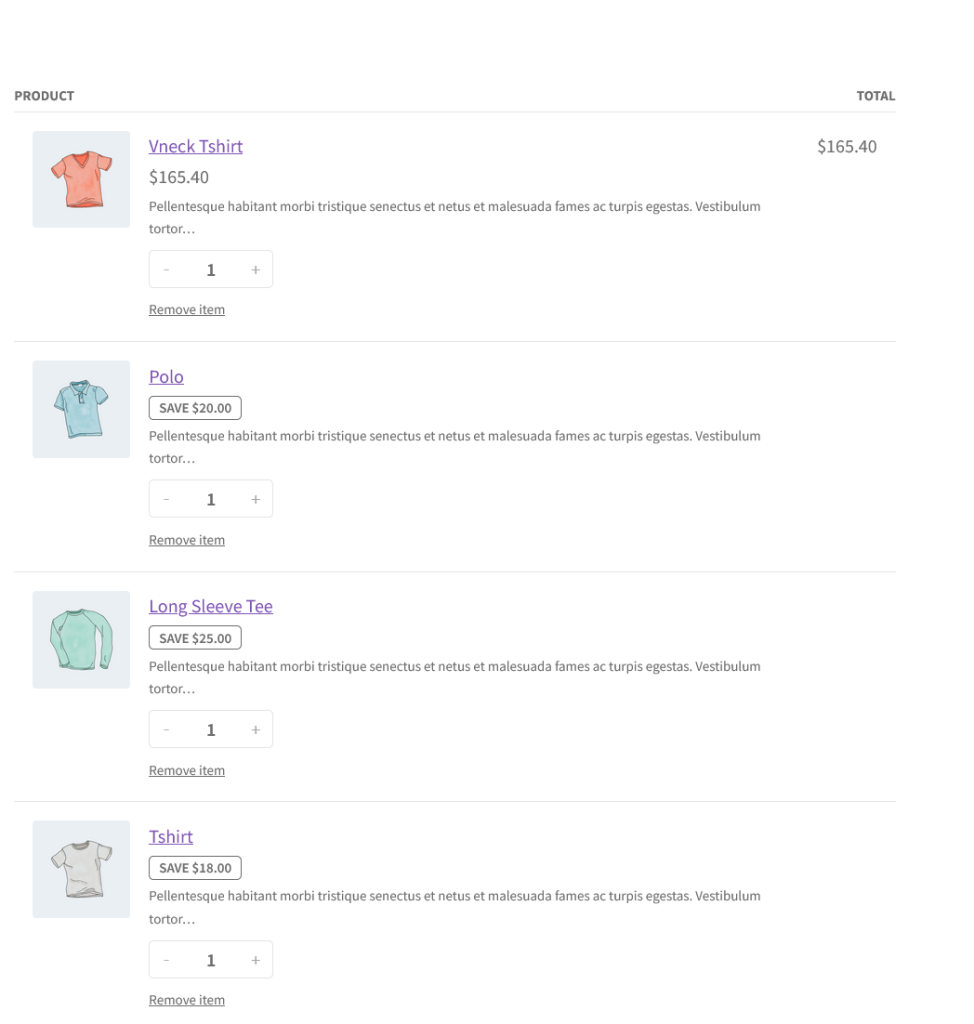
Chained Products in Cart