Table of content
WooCommerce product add-ons provide the solution to merchants with unlimited product options. The plugin supports up to 16 field options. You can charge from your customers upon every add-on field.
Product Options Features
- Supports up to 16 fields.
- Create unlimited product add-on fields.
- Product add-on field with conditional logic.
- Add multiple fields, such as text area, radio, checkbox, and others.
- Supports to display options after add to cart button.
- Display price dynamically or separately.
- Add price in percentage or fixed amount for custom field.
General Settings
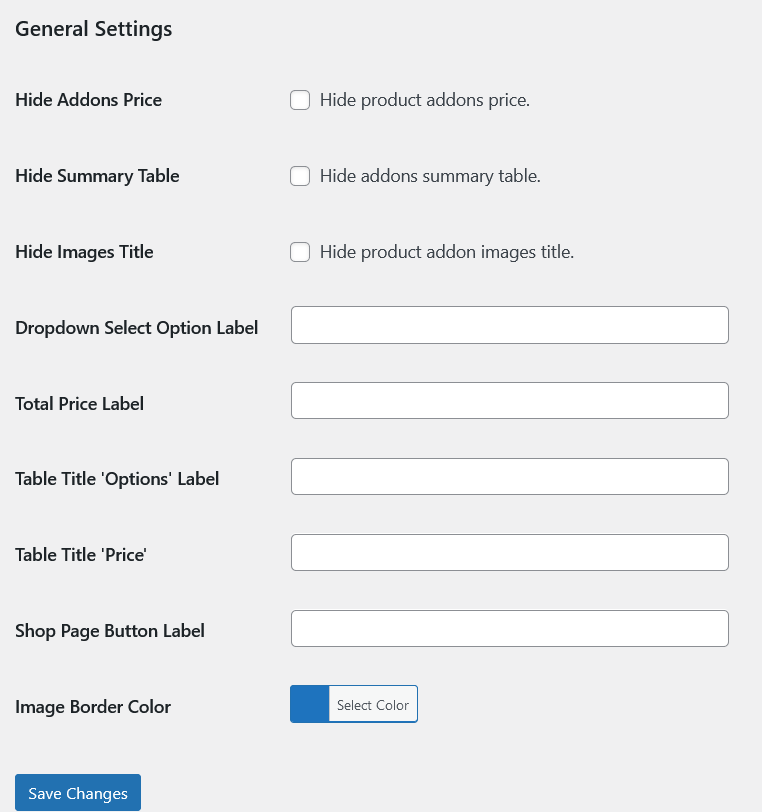
- Hide Add-ons Price: Hide product add-ons price.
- Hide Summary Table: Hide add-ons summary table.
- Hide Images Title: Hide product add-on images title.
All labels and titles belongs to Product add-ons are localized and editable and their options are also added in the general settings along with a single color field for the border of the add-on type image.
Group of Add-ons Listed
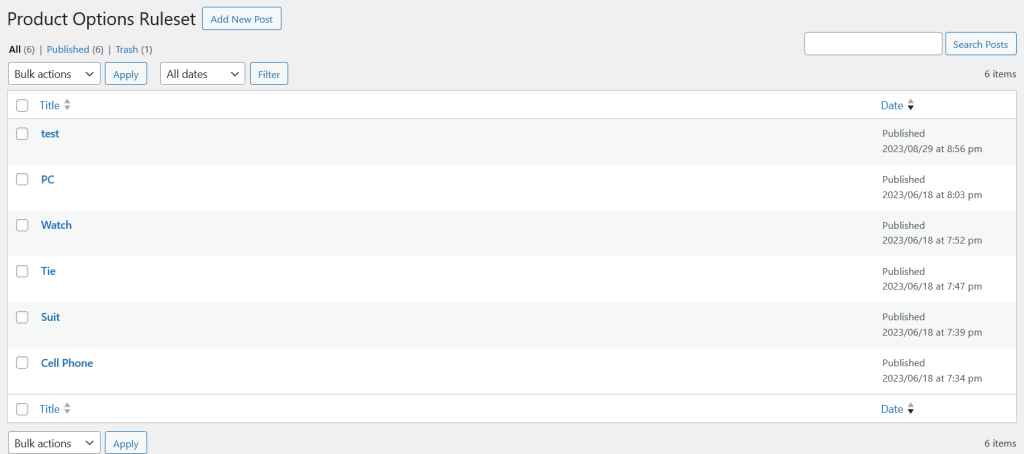
List of All Add-ons
List of add-ons with drag and drop, delete options. Also there is an options to assign these add-ons to the specific products. We can assign these add-ons to the products at the product level also.
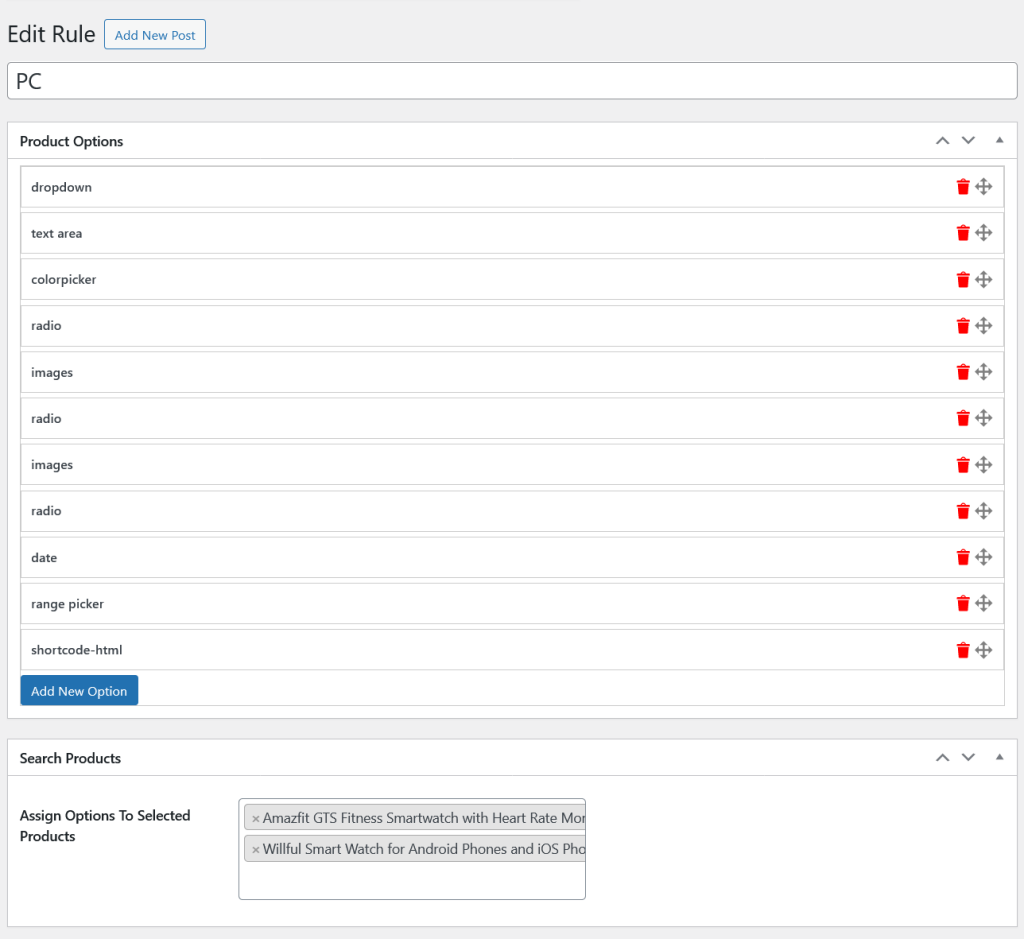
Single Add-on Options
WooCommerce Product Add-ons support 18 different types. Below is the list of them.
- Checkboxes
- Text Field
- Text Area
- Radio
- Dropdown
- Color Picker
- Time
- Date
- Multi Select
- File
- Price
- Quantity
- Heading
- Images
- Range Picker
- Date Range Picker
- Composite Products
- HTML/Shortcode
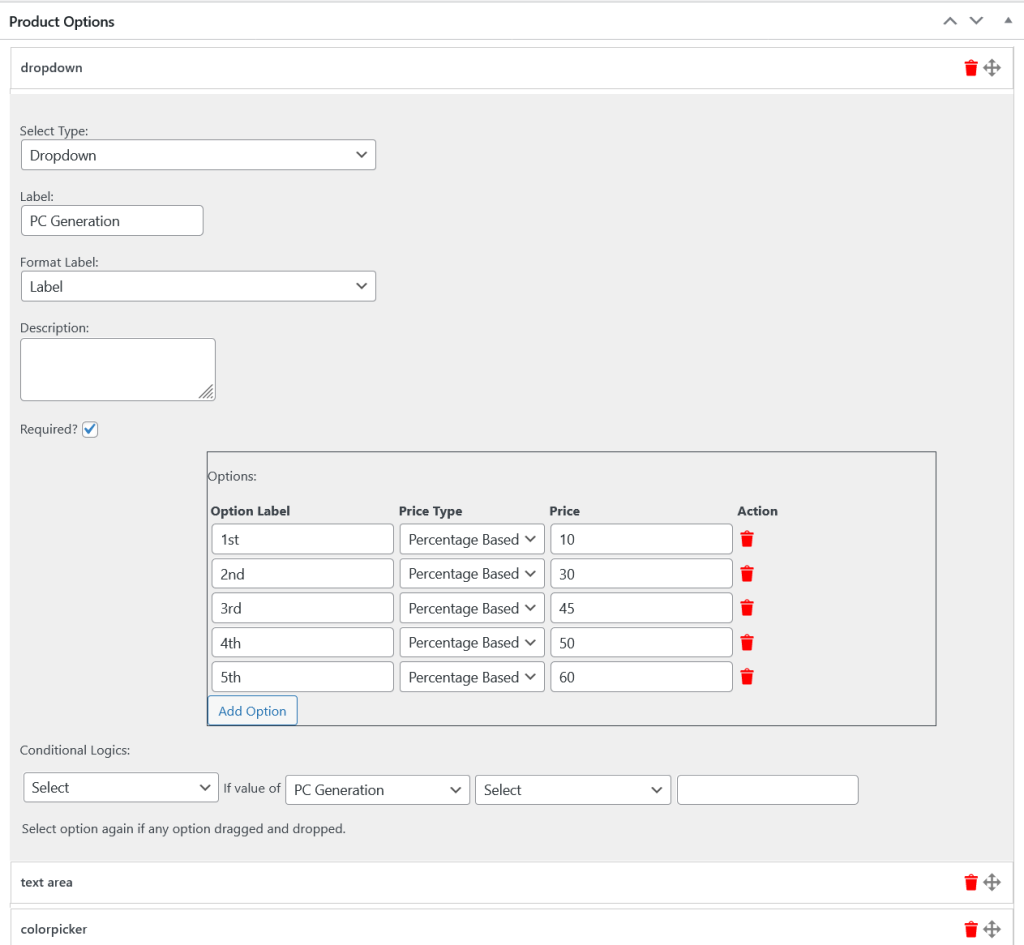
Below is one of the above mentioned types named dropdown. You have to specify its type first because all the options are dependent on its type.
Supports Conditional Logics
WooCommerce Product Add-ons support conditional logic also which means any add-on will be dependent on another add-on value. There are four specific fields for the conditional logic.
1. Dropdown is about to hide or show and you have to choose one of them.
2. Second dropdown consist of all add-ons title, so you have to choose one of them also.
3. Third dropdown has some logic.
4. And in the last option we have to add the value of the add-on.
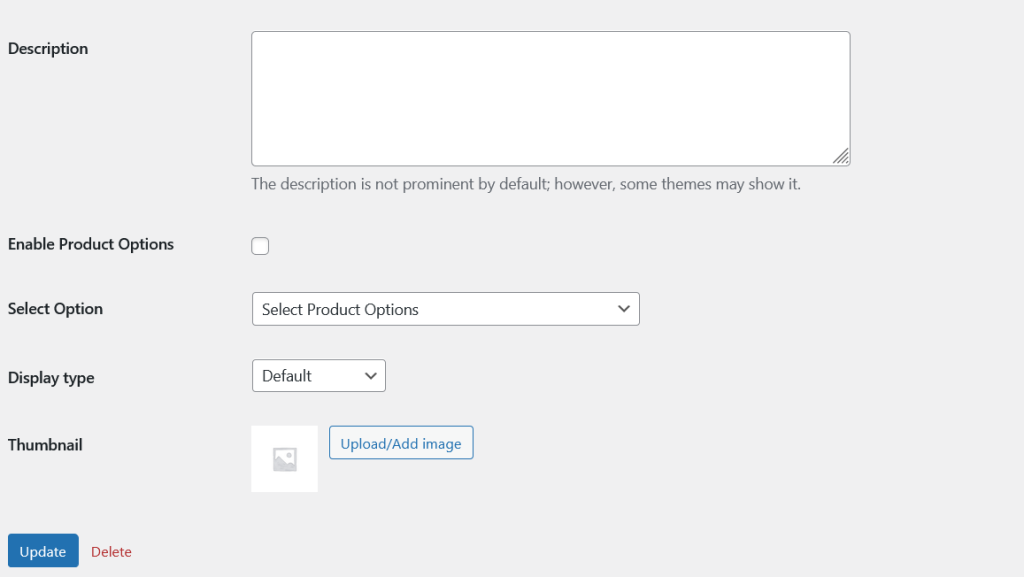
Enable Add-ons at the Category Level
When the add-on enabled at the category level, it will be enabled on all the products related to that category.
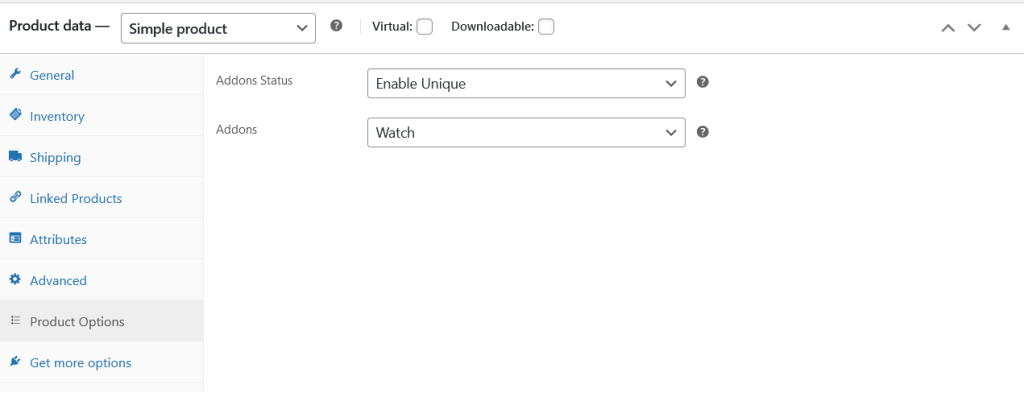
Product Level Settings
Add-ons Status:
1. Inherit: If this option is selected, the product will get the add-ons rule sets added at its category level and ignore its rule sets.
2. Enable Unique: If enable unique is selected, the product will get its own rule sets.
3. Disable: Disable will disable the add-ons functionality for the products.
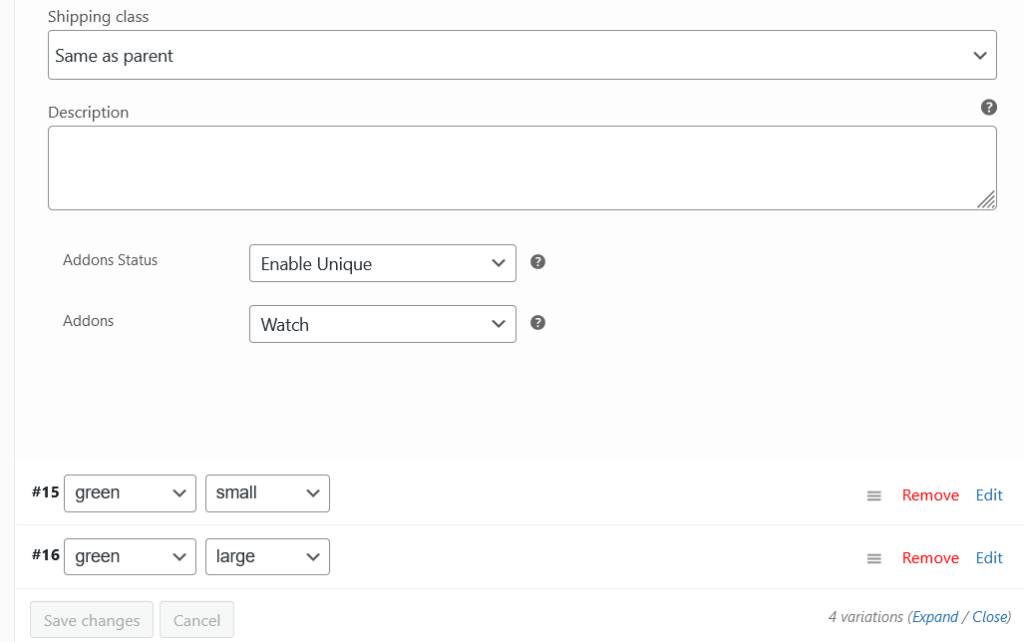
Variation Level Options
WooCommerce Product Add-ons allow to display add-ons at the variation level also.
Frontend View of the Add-ons
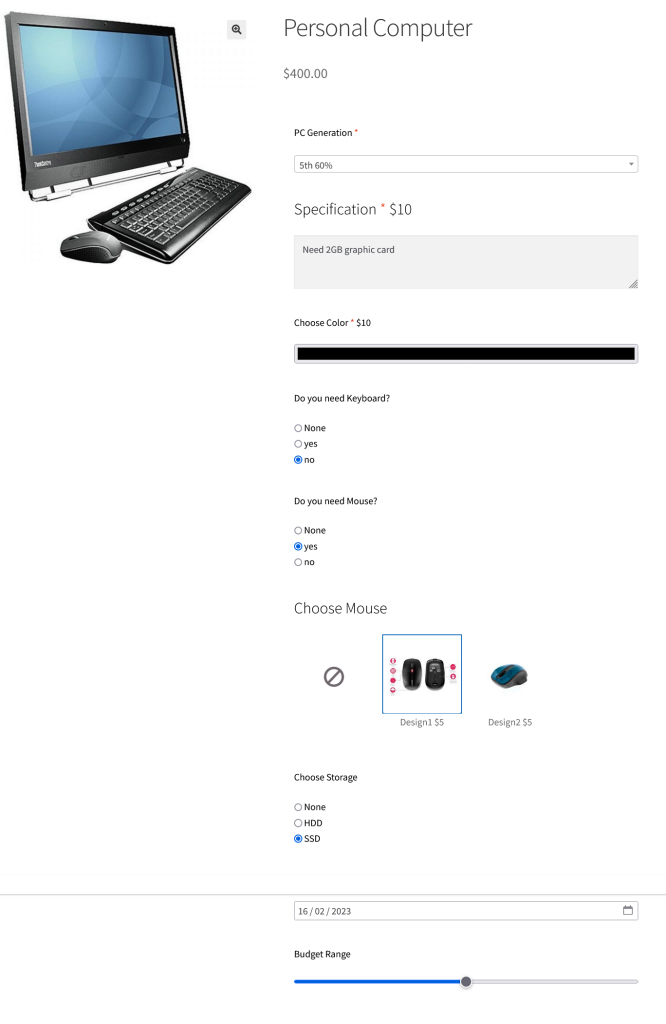
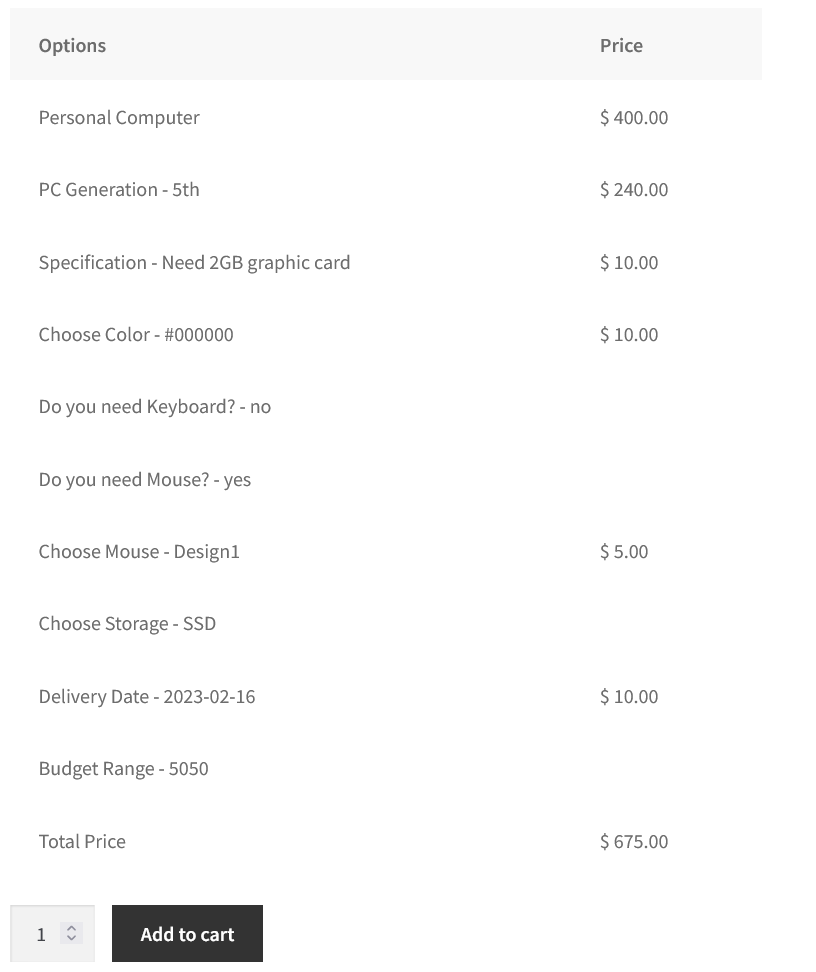
Pricing Summary Of Add-ons
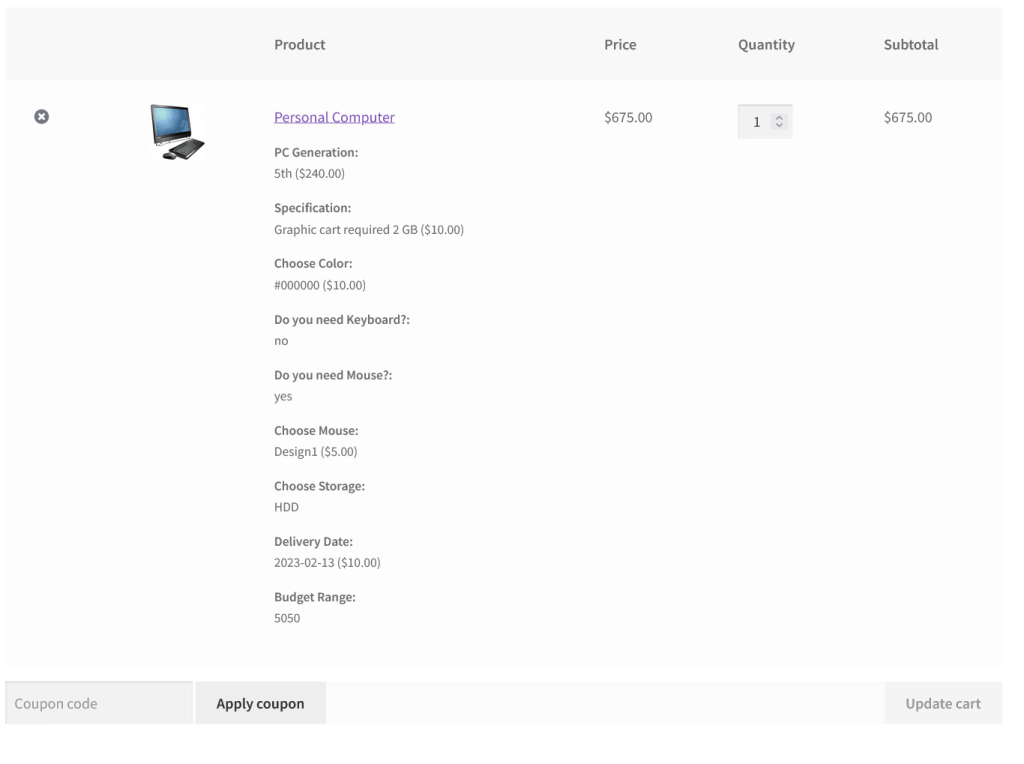
Add-ons Displayed on the Cart Page